> ## Documentation Index
> Fetch the complete documentation index at: https://docs-staging.incredibuild.com/llms.txt
> Use this file to discover all available pages before exploring further.
# Running Builds from Visual Studio
Last updated on Jan 11, 2024
1. Install the Incredibuild **[Visual Studio Add-in](/windows/10.12/visual-studio-add-in)**.
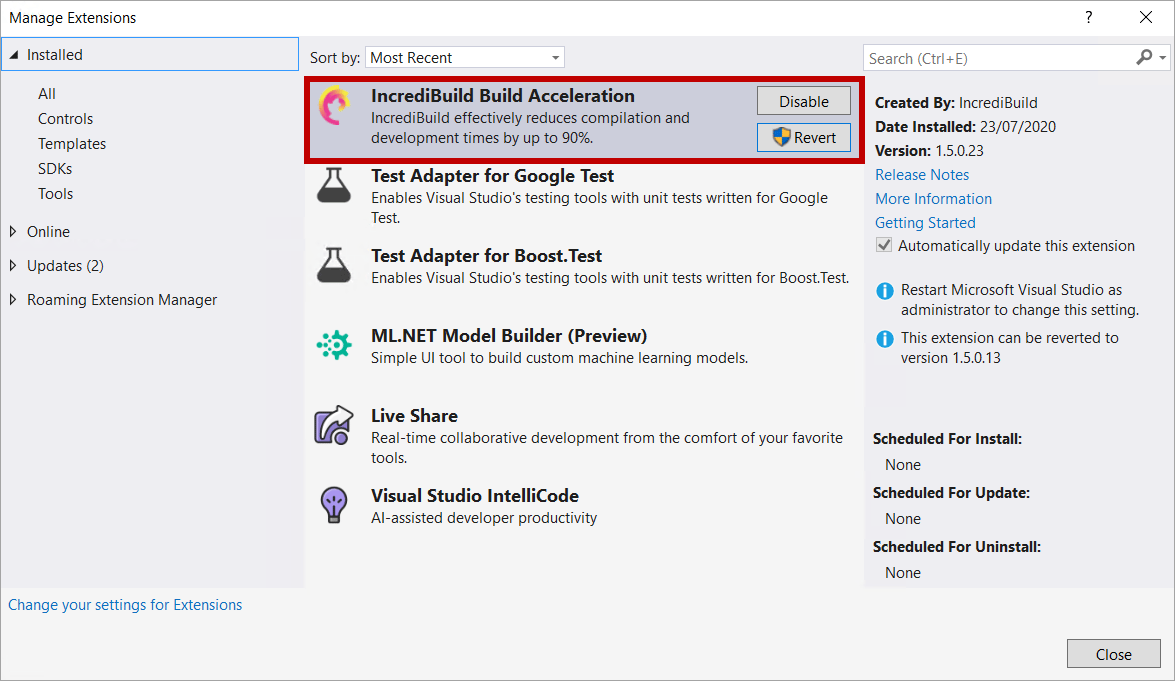 2. (Optional) Configure the [Incredibuild menu and keyboard shortcuts](/windows/10.12/customizing-incredibuild-build-options).
3. For SLN files/projects, select the [integration mode](/windows/10.12/using-visual-studio-integration-modes) between Incredibuild and Visual Studio to apply to your build.
4. In Visual Studio 2019, select **Extensions** > **Incredibuild**> **Build** or **Rebuild**.
2. (Optional) Configure the [Incredibuild menu and keyboard shortcuts](/windows/10.12/customizing-incredibuild-build-options).
3. For SLN files/projects, select the [integration mode](/windows/10.12/using-visual-studio-integration-modes) between Incredibuild and Visual Studio to apply to your build.
4. In Visual Studio 2019, select **Extensions** > **Incredibuild**> **Build** or **Rebuild**.
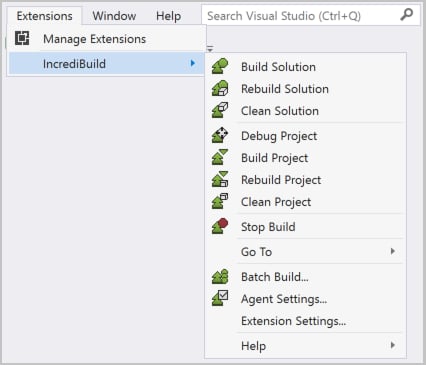 5. Run your build in one of the following ways:
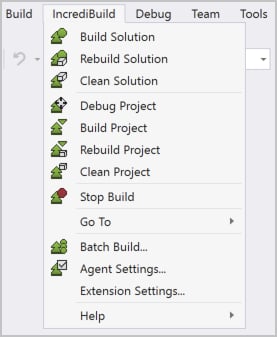
* In Visual Studio 2017, select **Incredibuild**> **Build** or **Rebuild**.
5. Run your build in one of the following ways:
* In Visual Studio 2017, select **Incredibuild**> **Build** or **Rebuild**.
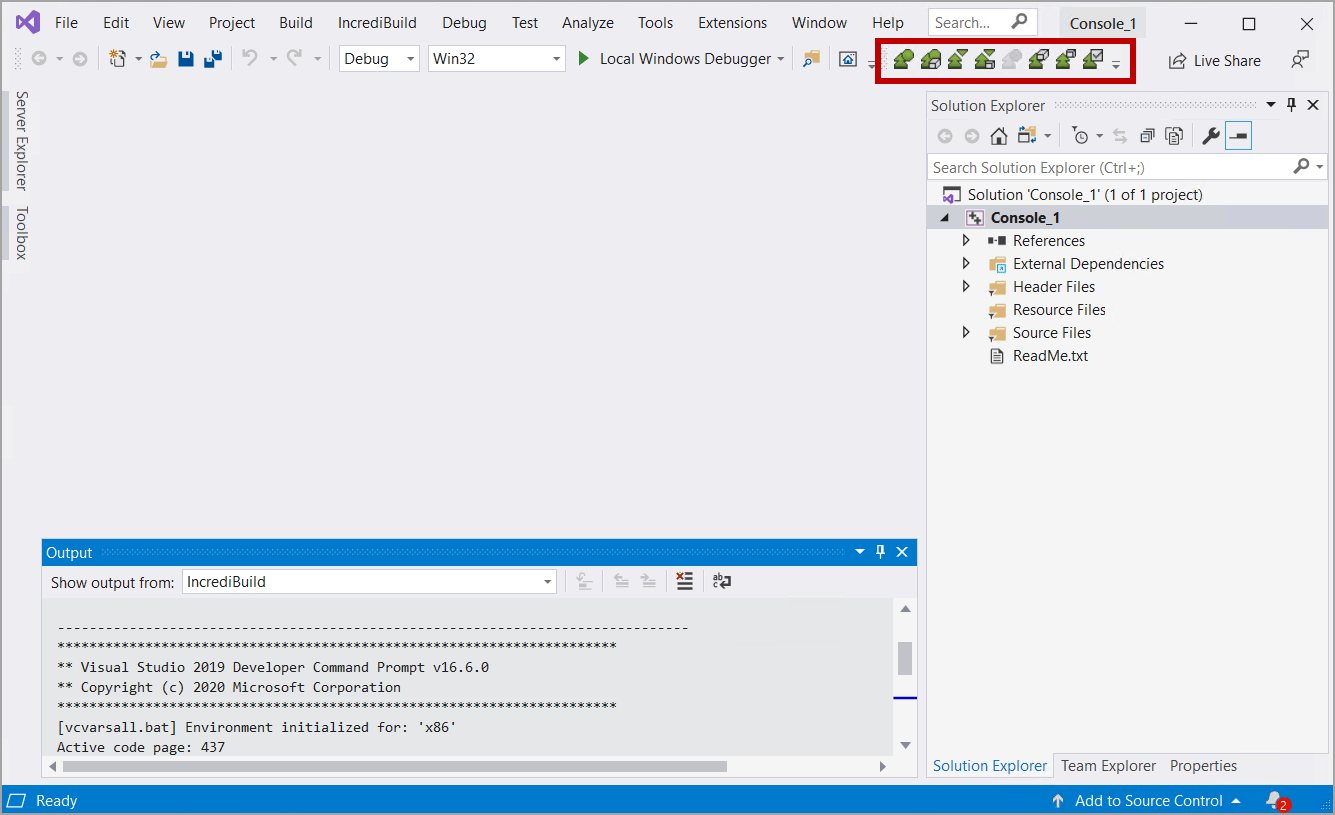
 * From the Incredibuild toolbar, select **Build** or **Rebuild**.
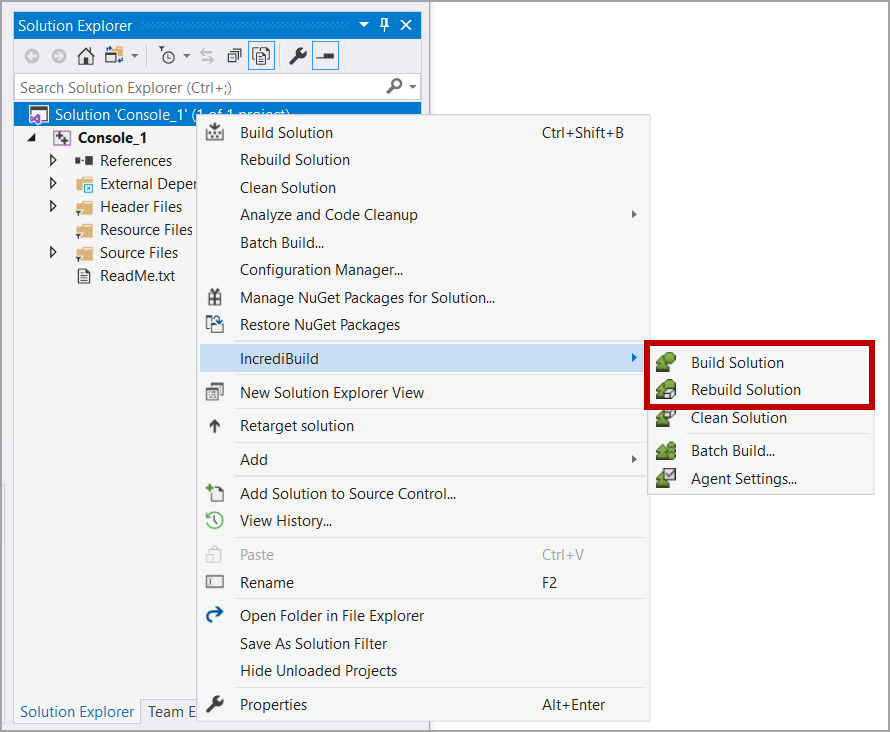
 * To build an SLN file/project, in the **Solution Explorer**, right-click the SLN solution/project and select **Incredibuild** > **Build** or **Rebuild**.
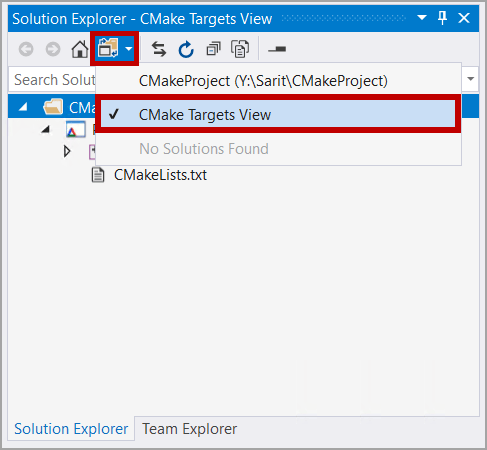
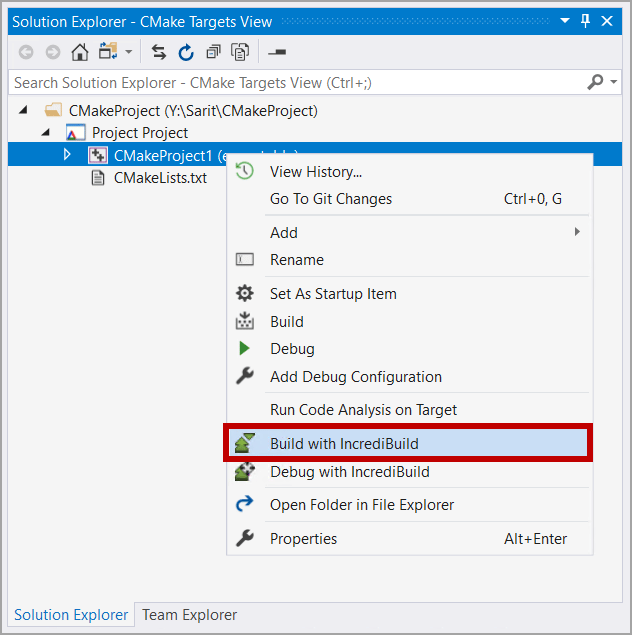
 * To build a CMake project, in the **Solution Explorer**, click the **Switch Views** button, select **CMake Targets View** and then right-click the solution/project and select **Build with Incredibuild**. CMake projects always run in the Internal mode, regardless of the selected Integration mode.
 * If configured, use the [Standard Visual Studio Commands](/windows/10.12/configuring-visual-studio-commands).
* Use the [Incredibuild BuildConsole Command Line Interface](/windows/10.12/build-console-cli).
6. Once the build starts running, [Incredibuild Build Monitor](/windows/10.12/monitor-builds) appears.
7. You can run builds on multiple solution/project configurations using [Batch Build](/windows/10.12/batch-build-configurations).
8. You can [distribute custom build steps, events, and tools, for execution on remote machines (sequentially or in parallel), even at the process level](/windows/10.12/accelerating-custom-build-steps) (from Visual Studio 2010 and later).
9. You can further improve performance by [fine-tuning aspects of either Incredibuild's configuration or the project's settings](/windows/10.12/build-performance-optimizations).
* If configured, use the [Standard Visual Studio Commands](/windows/10.12/configuring-visual-studio-commands).
* Use the [Incredibuild BuildConsole Command Line Interface](/windows/10.12/build-console-cli).
6. Once the build starts running, [Incredibuild Build Monitor](/windows/10.12/monitor-builds) appears.
7. You can run builds on multiple solution/project configurations using [Batch Build](/windows/10.12/batch-build-configurations).
8. You can [distribute custom build steps, events, and tools, for execution on remote machines (sequentially or in parallel), even at the process level](/windows/10.12/accelerating-custom-build-steps) (from Visual Studio 2010 and later).
9. You can further improve performance by [fine-tuning aspects of either Incredibuild's configuration or the project's settings](/windows/10.12/build-performance-optimizations).