Viewing your License Details
You can view your license package details in the Coordinator > License area.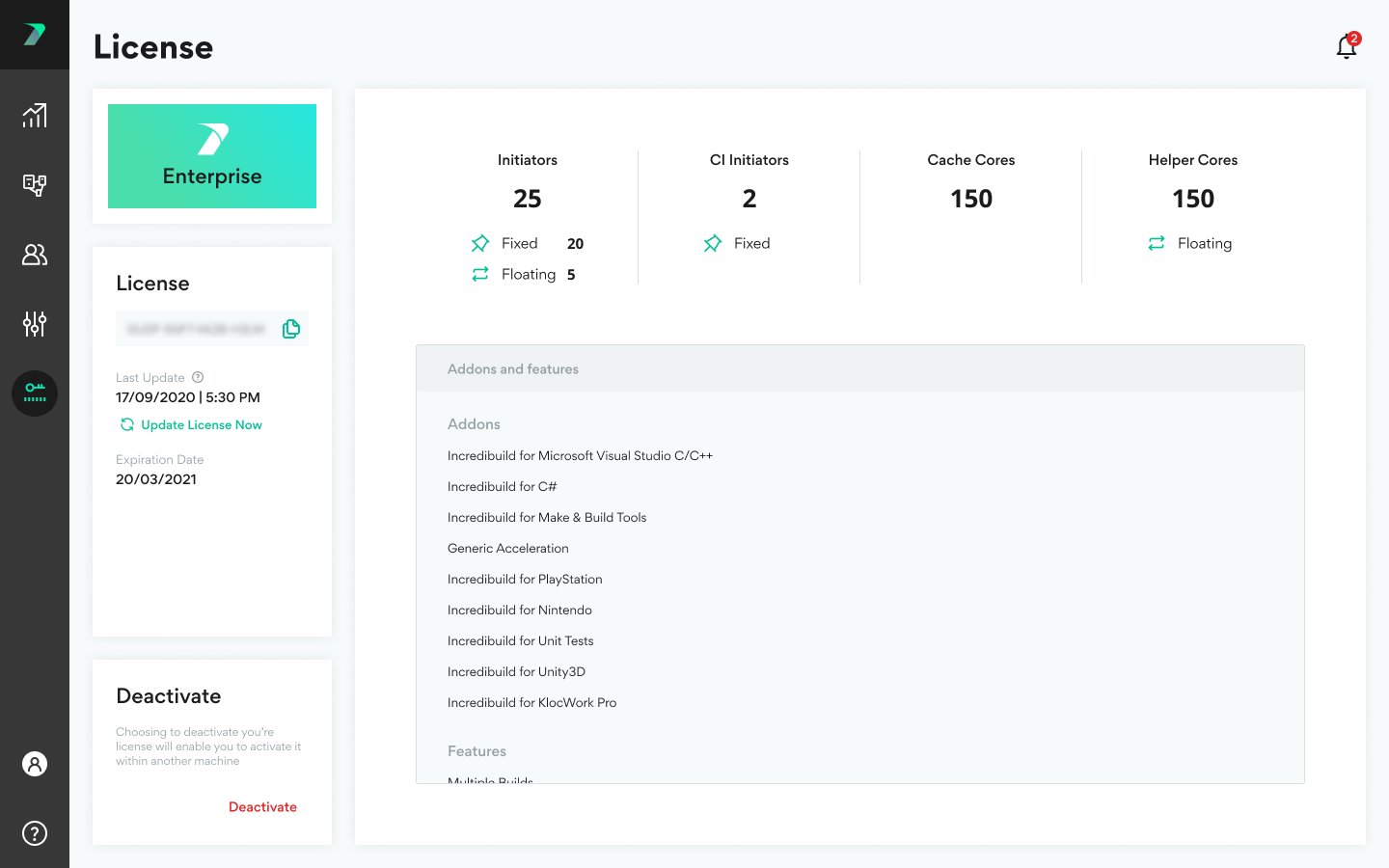

Assigning Licenses to Agents
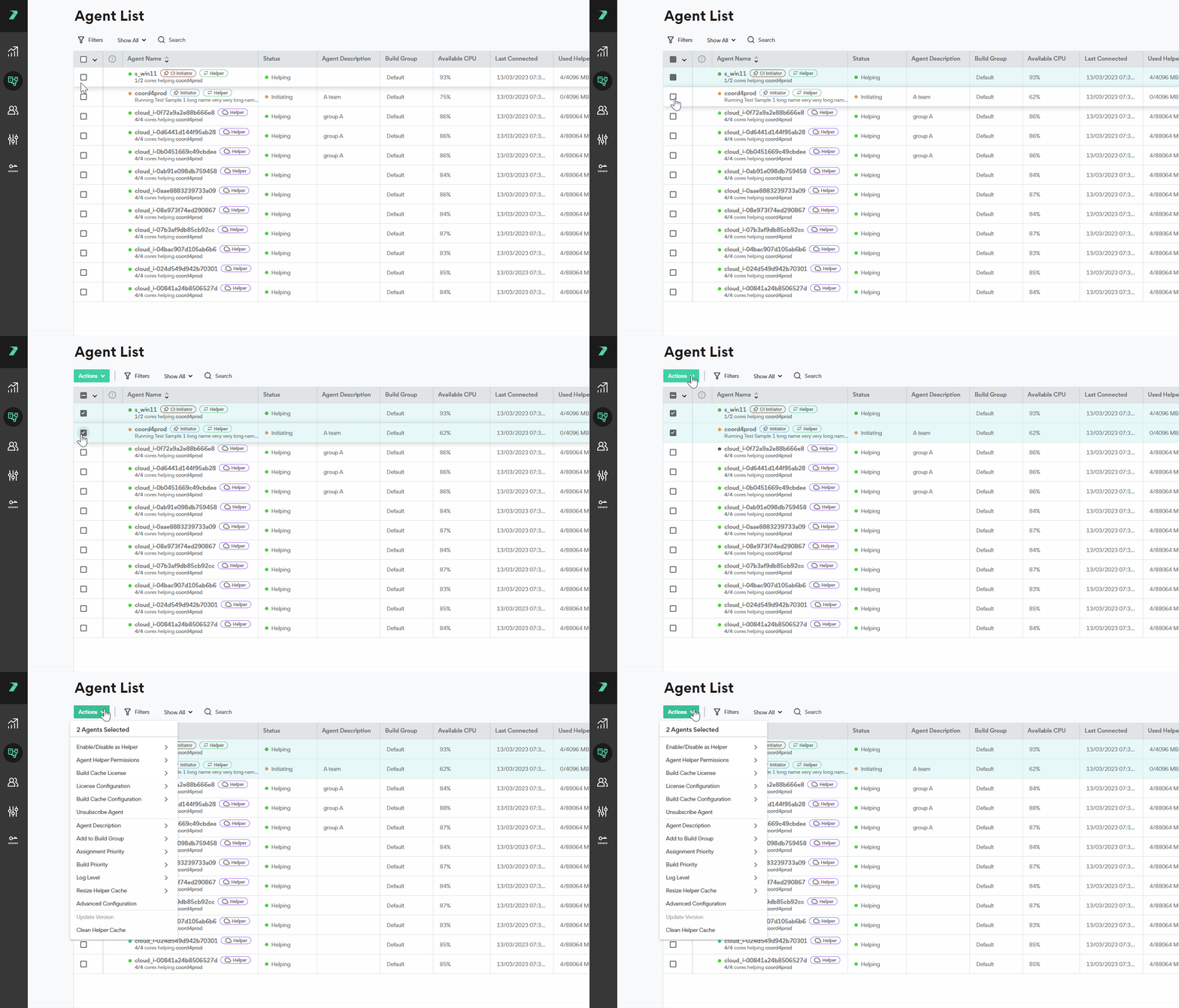
By default, each newly added agent receives a helper license. This behavior can be adjusted in the Coordinator Settings > Agents area. You can manually change the license of an individual agent, or a group of agents by going to the menu > License Configuration: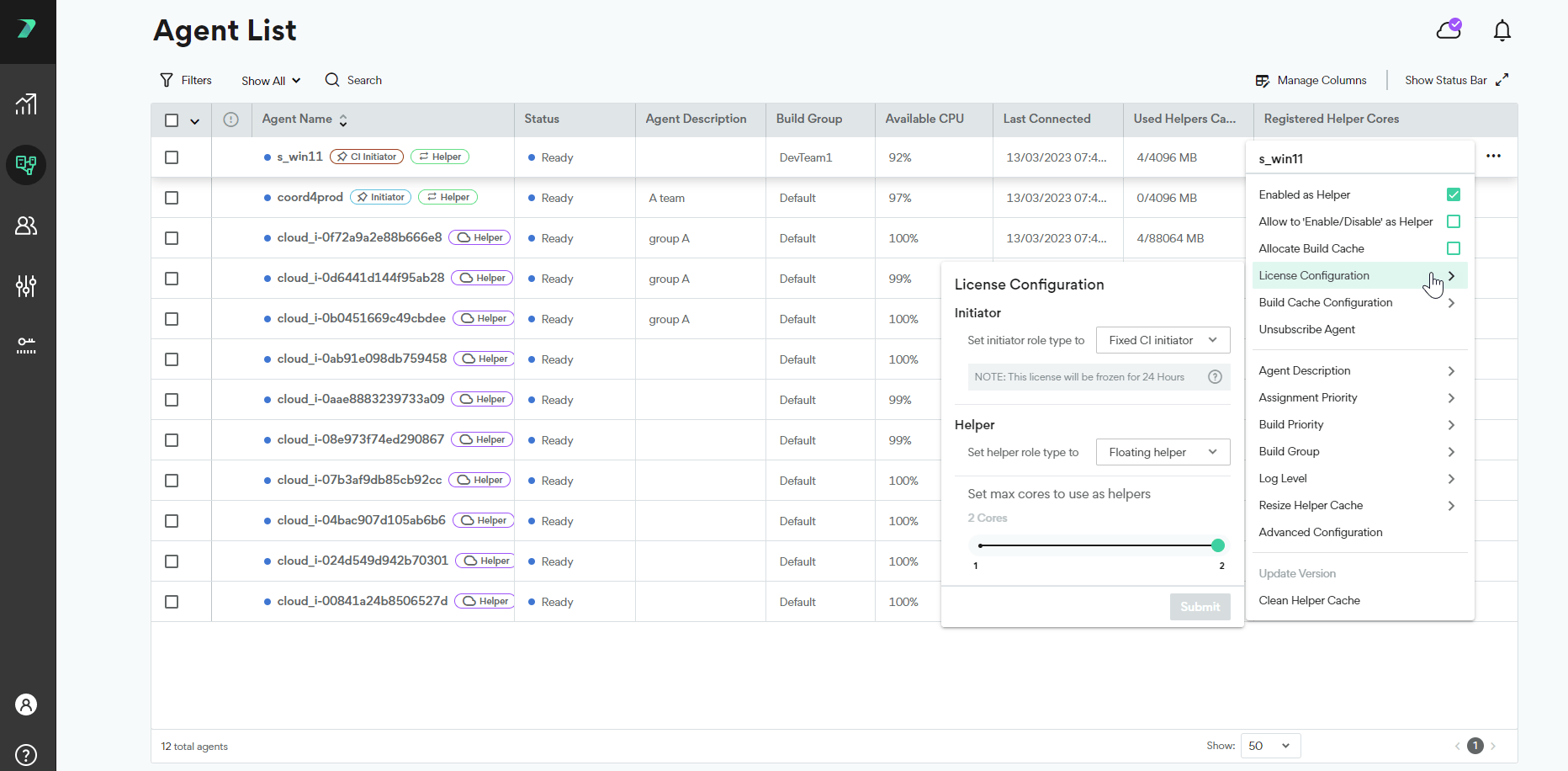
General License Settings
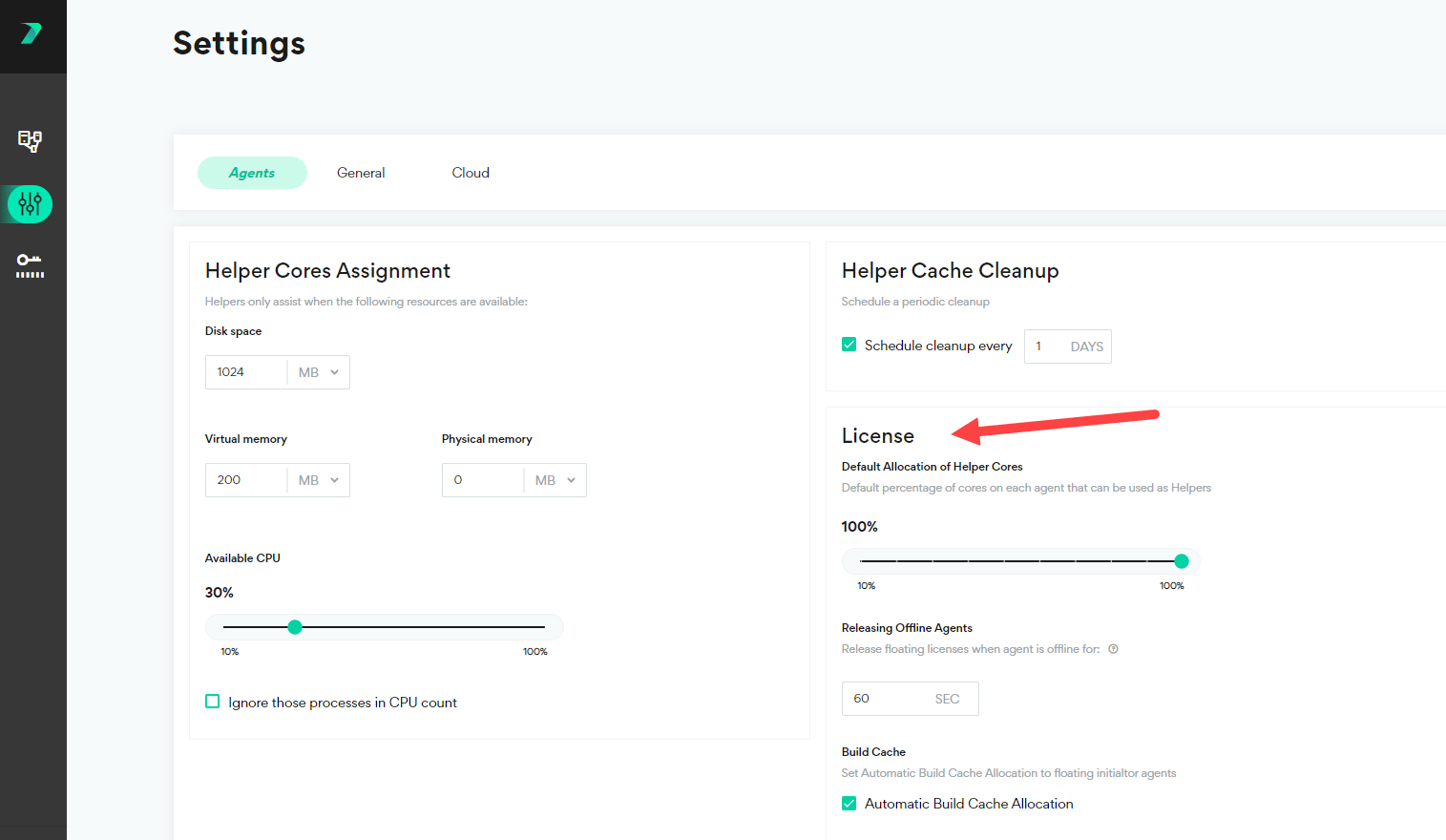
In the Coordinator > Settings> Agent area, you can manage all of the general license settings such as the timeout for offline licenses and the maximum number of helper cores per machine. For details, see Coordinator Settings.