Using SSL Certificates to Access the Coordinator User Interface
When installing Incredibuild components (Coordinator or Agents), we recommend that you add your own SSL certificate in the installation wizard or during silent installation. If you are using Cloud machines, you upload your certificate in the Cloud Settings. Important: You cannot add the certificates after installation. For assistance, contact support@incredibuild.com. If you do not upload your own certificates, Incredibuild uses a generic certificates to secure all communication between the Coordinator user interface and the Coordinator. However, this default certificate will cause Chrome to issue a warning every time you access the Coordinator user interface. While you can ignore this warning every time, we recommend using your own certificate to improve security.Encrypting Communication Between the Coordinator and Agents
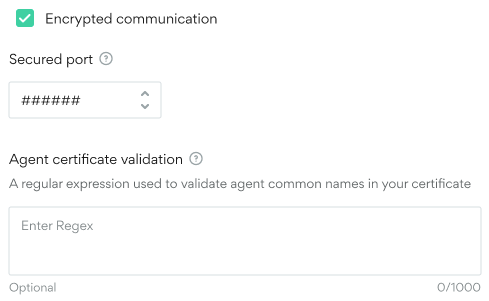
Whether or not you uploaded your own certificates, you can encrypt communication between Incredibuild’s internal components. By default, communication between the Coordinator and Agents is not encrypted as these machines are often on the same environment. To encrypt communication between these components, check the Encrypted communication box in the Coordinator Settings > General > Network area and specify a secured port to manage the communication. Limitation: Backup Coordinators will not work in an environment that has encrypted communication enabled.