> ## Documentation Index
> Fetch the complete documentation index at: https://docs-staging.incredibuild.com/llms.txt
> Use this file to discover all available pages before exploring further.
# Build Groups
Last updated on Mar 08, 2023
Build Groups allow you to limit build distribution to a select group of Agents. Each Build Group includes Initiator Agents and Helper Agents. By default, every Agent is assigned to the **Default** Build Group. You can assign an Agent to a different Build Group in the Coordinator's Agent List.
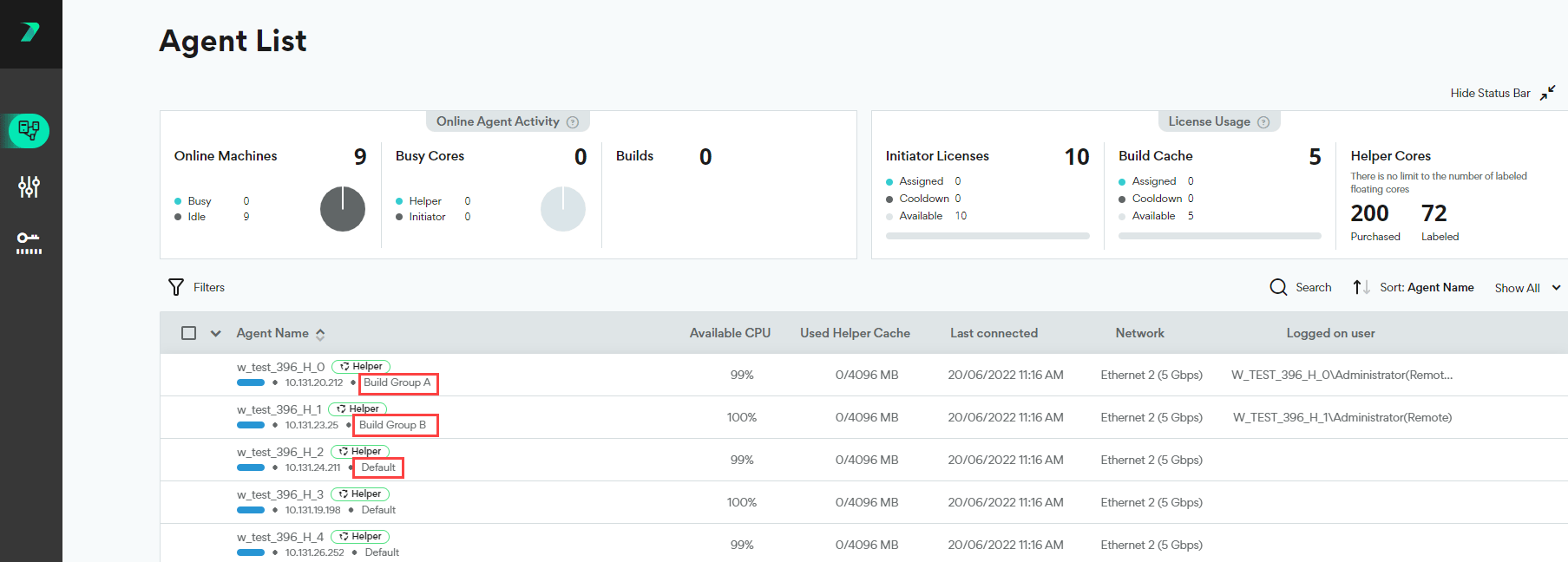
You can view the Build Group of every agent in the **Coordinator >** **Agent List**.
 ## Creating a Build Group
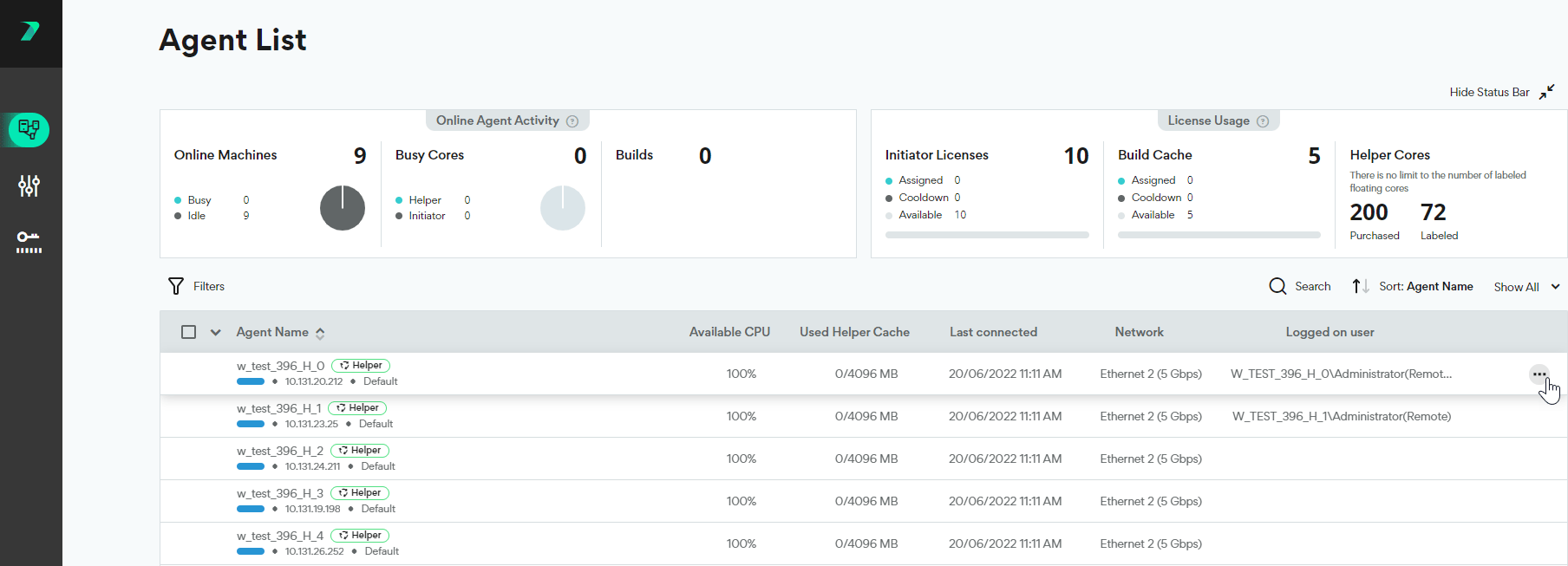
1. In the Coordinator's **Agent List**, click the three dots menu next to the agent.
## Creating a Build Group
1. In the Coordinator's **Agent List**, click the three dots menu next to the agent.
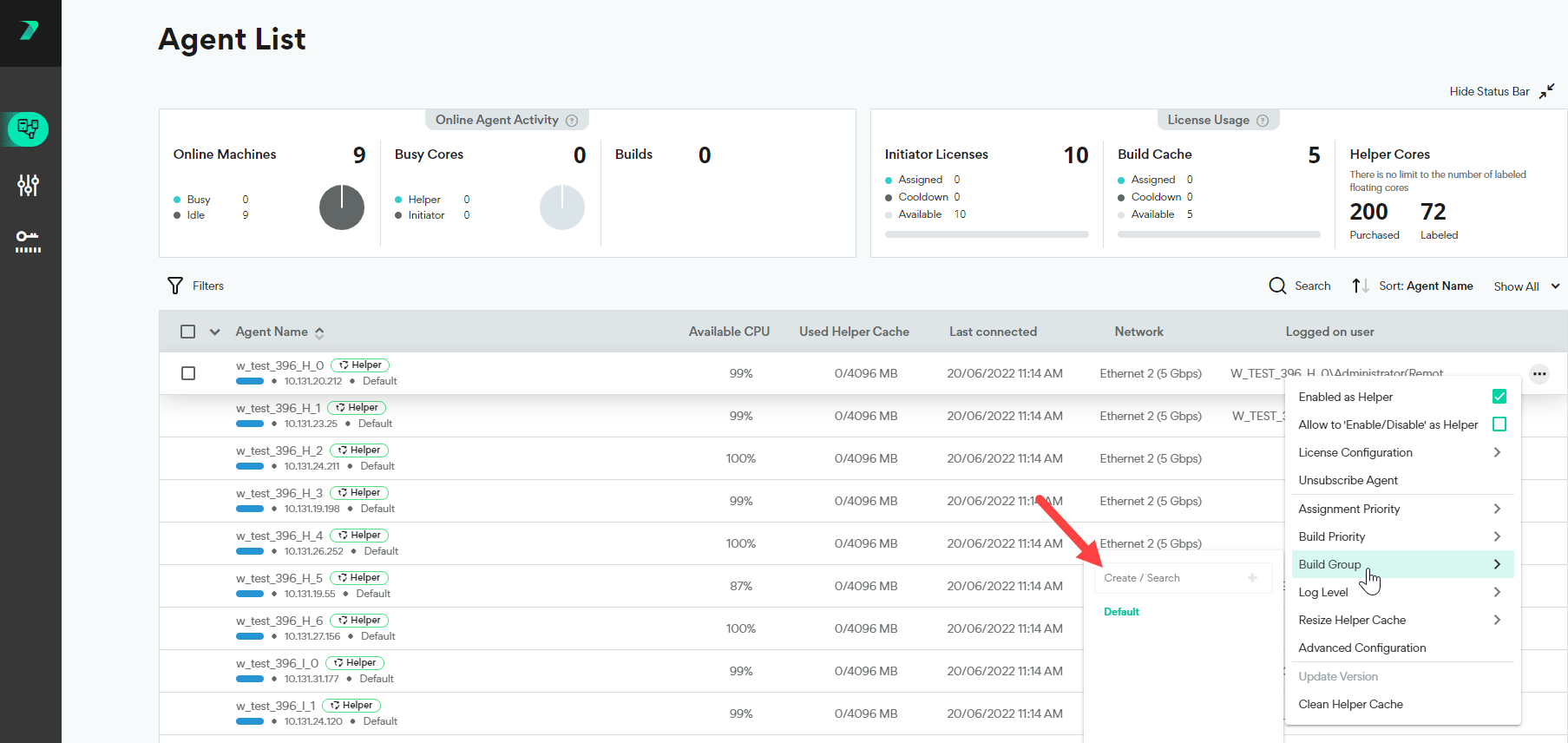
 2. Click **Build Group** and type the Build Group name in the **Create / Search** box.
 3. Click
  . The Build Group is created, and assigned to the Agent.
## Assigning Agents to a Build Group
1. In the Coordinator's **Agent List**, click the three dots menu next to the agent.
2. Click **Build Groups** and select an existing Build Group. You can use the search box to narrow the results.
. The Build Group is created, and assigned to the Agent.
## Assigning Agents to a Build Group
1. In the Coordinator's **Agent List**, click the three dots menu next to the agent.
2. Click **Build Groups** and select an existing Build Group. You can use the search box to narrow the results.
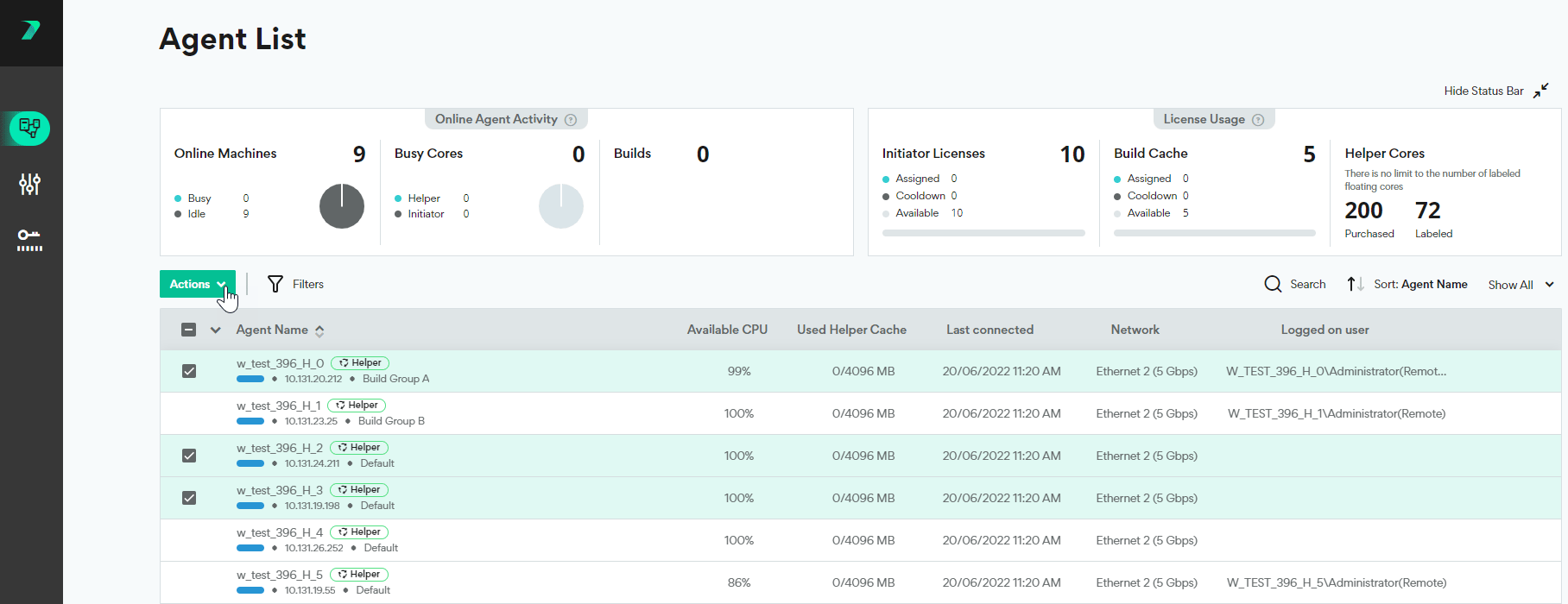
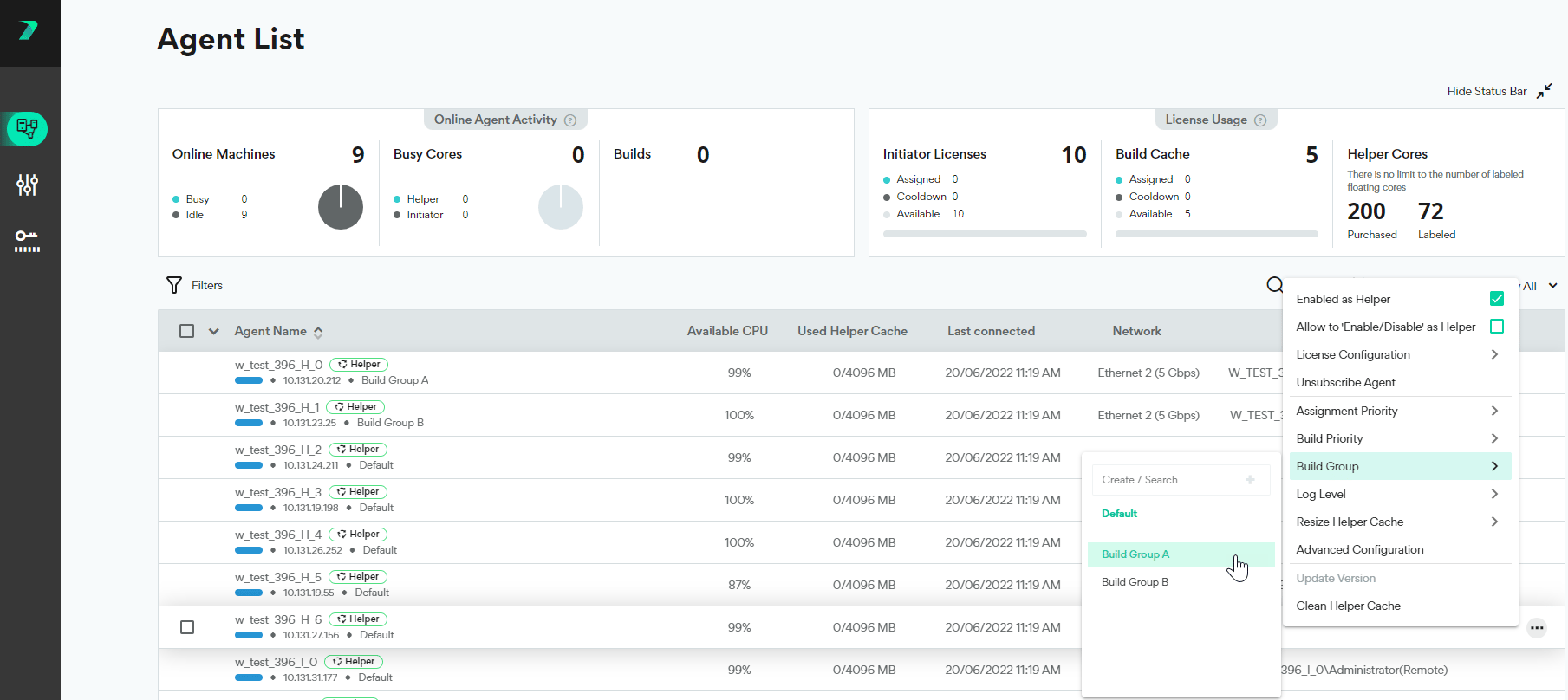 3. To assign multiple agents at once, select the agents and use the **Actions** menu options.
 ## Viewing all Agents in a Build Group
1. In the Coordinator's Agent List, click the **Filter**.
## Viewing all Agents in a Build Group
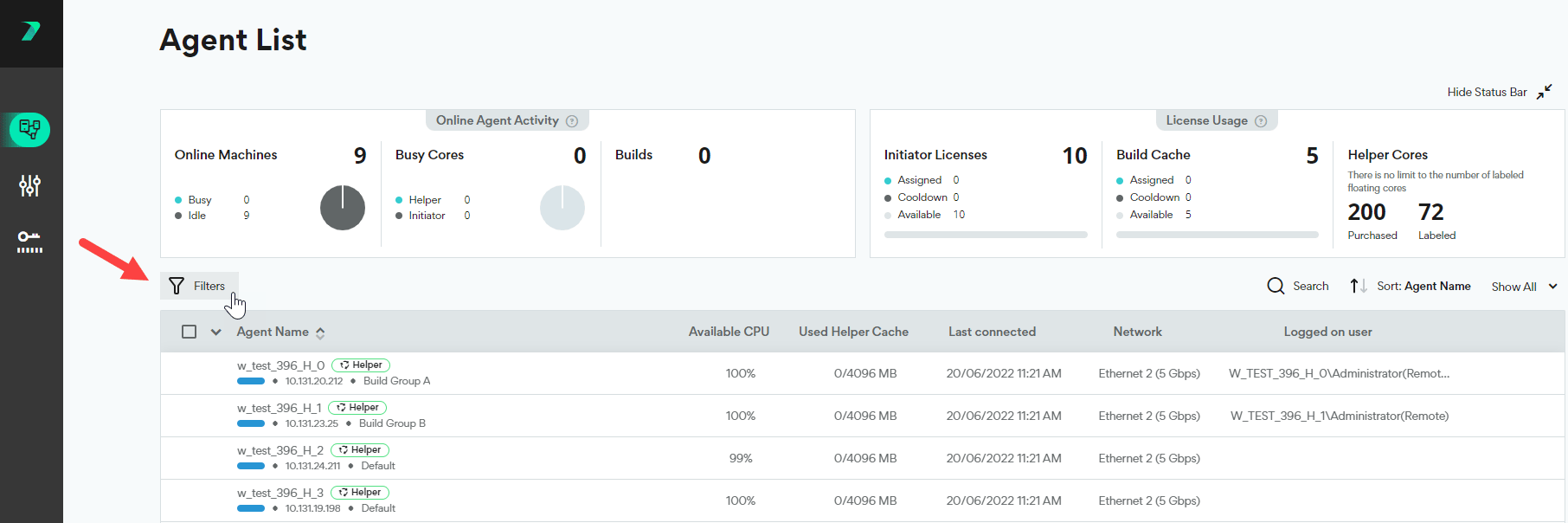
1. In the Coordinator's Agent List, click the **Filter**.
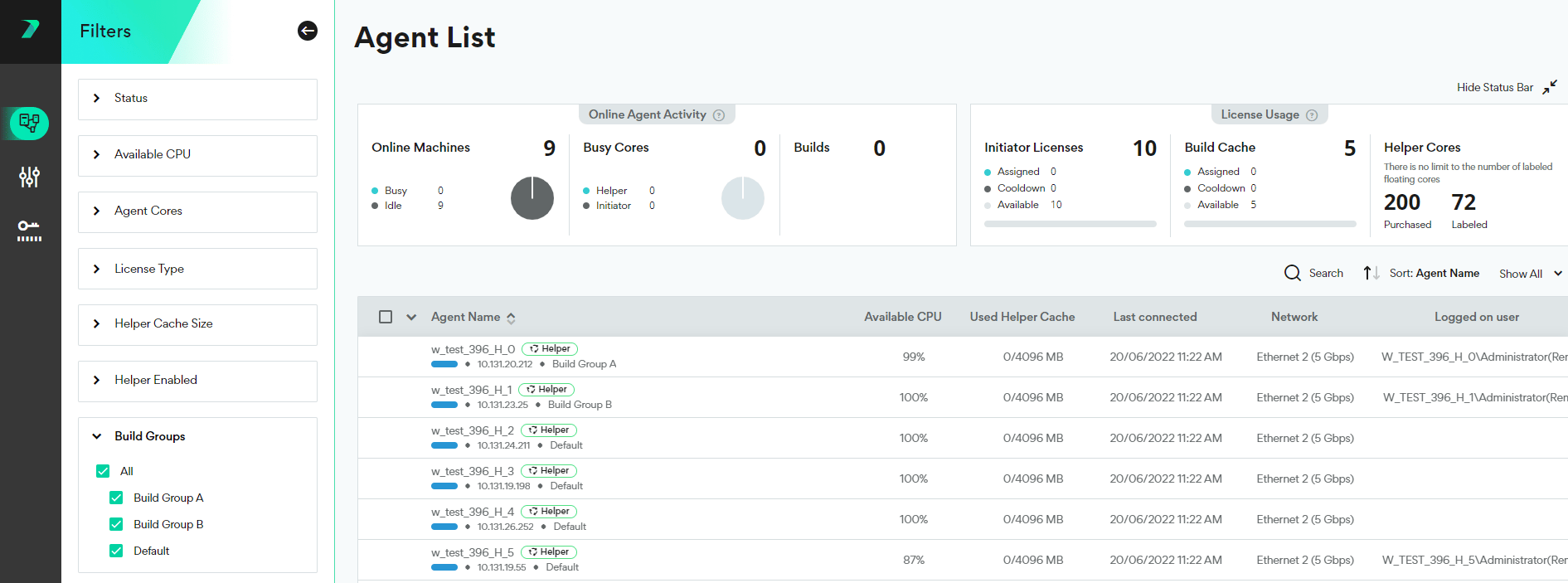
 2. Expand the **Build Groups** section, and select the Build Groups you want to display.
 ## Limitations
Build groups cannot be deleted, and their names can not be changed after creation.
[https://docs.incredibuild.com/Default.htm](https://docs.incredibuild.com/Default.htm)
[https://docs.incredibuild.com/lin/latest/Default.htm](https://docs.incredibuild.com/lin/latest/Default.htm)
[https://docs.incredibuild.com/win/v10\_2\_2/Default.htm](https://docs.incredibuild.com/win/v10_2_2/Default.htm)
[https://docs.incredibuild.com/cloud/Default.htm](https://docs.incredibuild.com/cloud/Default.htm)
Windowshttps\://[www.incredibuild.com/](http://www.incredibuild.com/) 10.2.2
## Limitations
Build groups cannot be deleted, and their names can not be changed after creation.
[https://docs.incredibuild.com/Default.htm](https://docs.incredibuild.com/Default.htm)
[https://docs.incredibuild.com/lin/latest/Default.htm](https://docs.incredibuild.com/lin/latest/Default.htm)
[https://docs.incredibuild.com/win/v10\_2\_2/Default.htm](https://docs.incredibuild.com/win/v10_2_2/Default.htm)
[https://docs.incredibuild.com/cloud/Default.htm](https://docs.incredibuild.com/cloud/Default.htm)
Windowshttps\://[www.incredibuild.com/](http://www.incredibuild.com/) 10.2.2