How to Enable Build Cache on Initiators
- Go to Coordinator > Agent List.
- Select every initiator agent that you want to enable Build Cache.
-
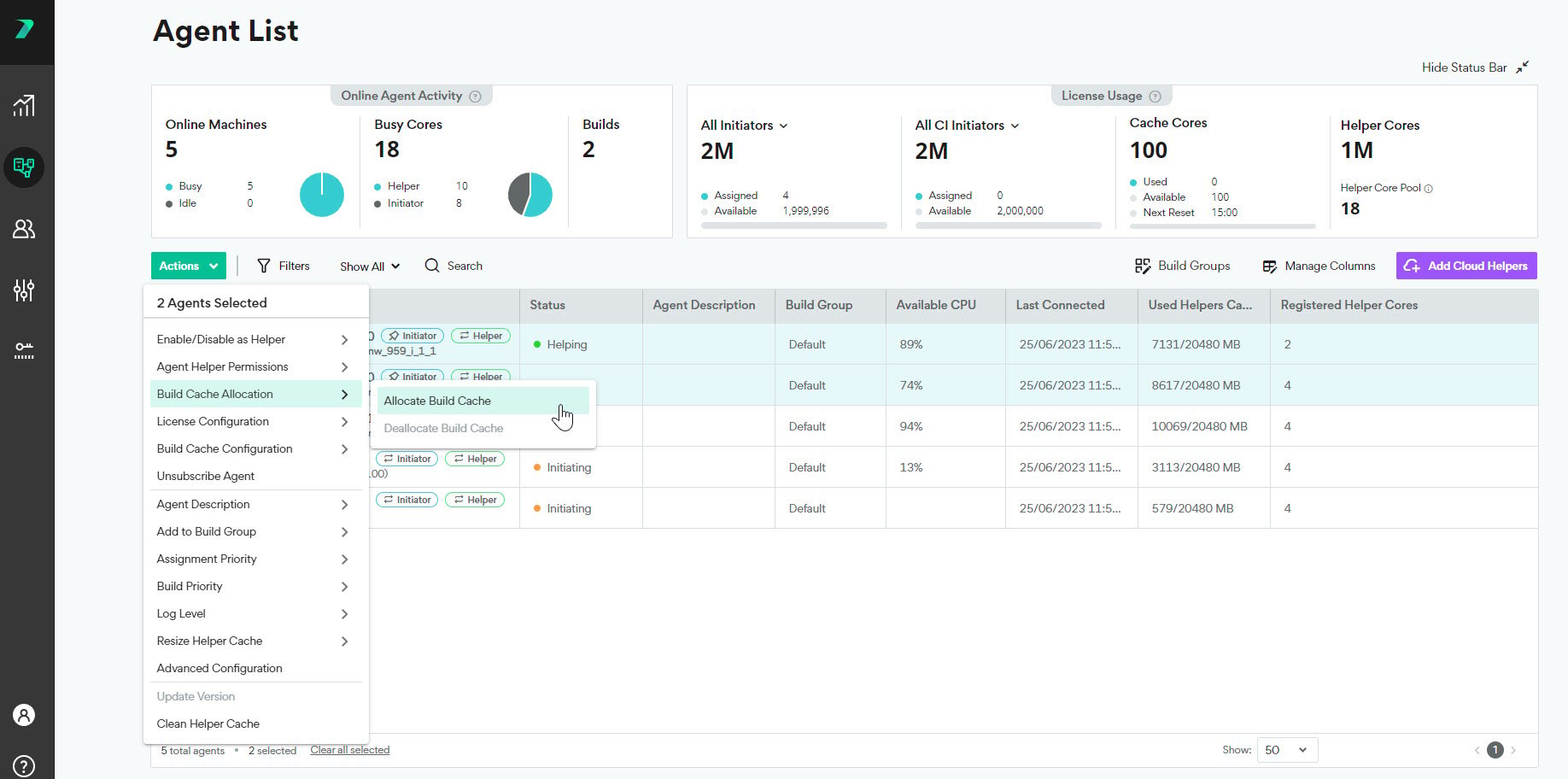
Click Actions > Allocate Build Cache. If you do not see this option, make sure the agents have Initiator licenses.
-
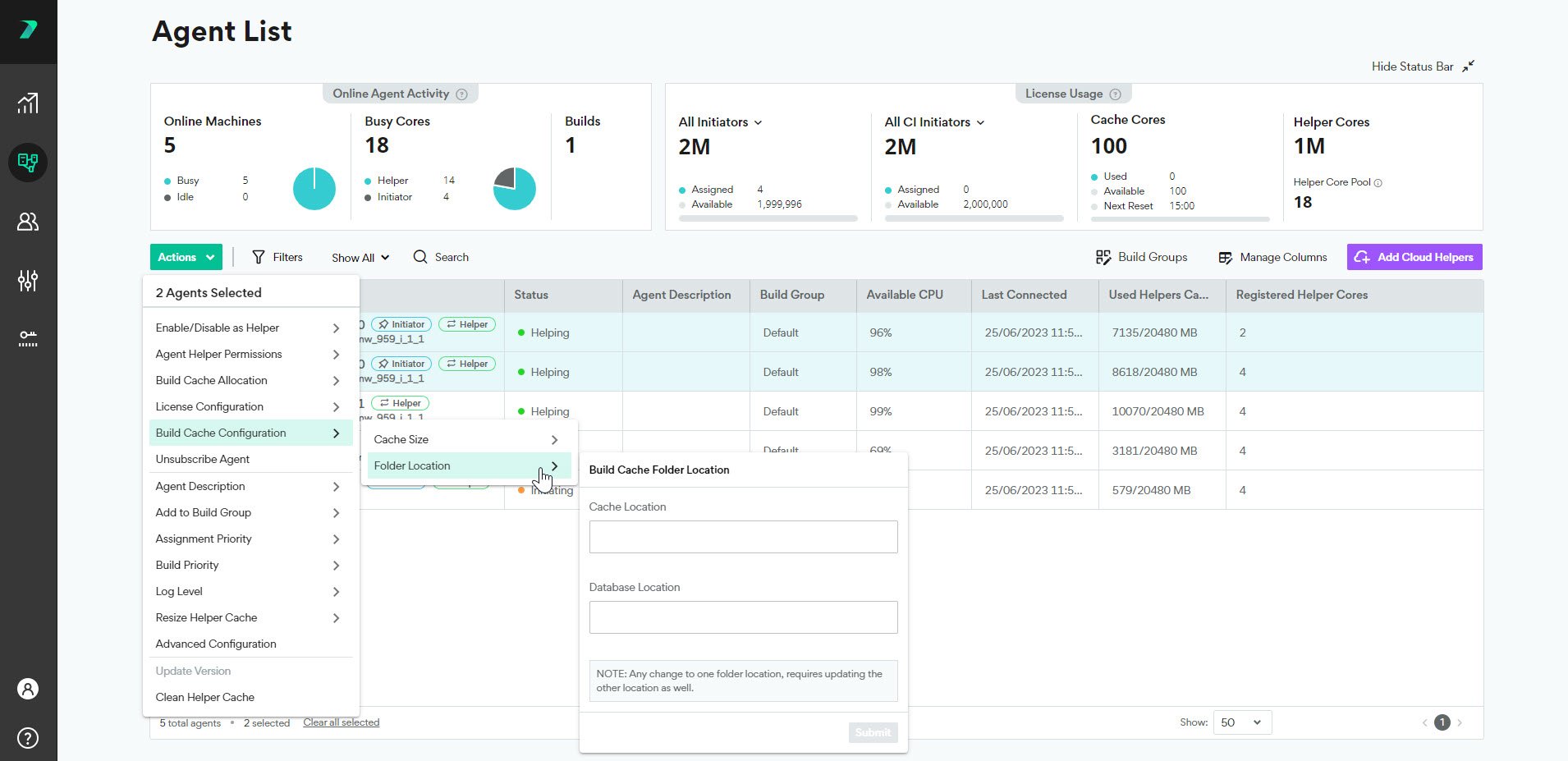
Click Actions > Build Cache Configuration and set the cache size and location . The size limit should be 2-3 times the size of the output of all of the builds that will contribute to this file cache, but the requirements may vary depending on your environment.
-
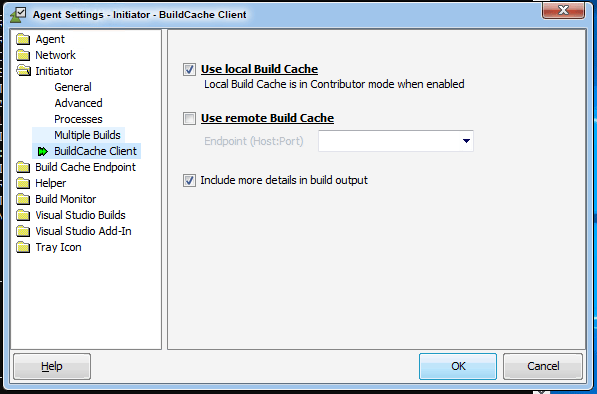
On each Initiator Agent machine, you define if you want it to use a local cache, a remote cache, or both in the Agent Settings > Initiator > Build Cache Client tab.