

- Silent installation
- Setup wizard
Note: The Build Group must already exist.
Enabling Assignment
In order to assign an Agent to a Build Group during installation, enable this option on the Coordinator. To enable the assignment:-
Go to Coordinator > Coordinator Settings > Coordinator > API Accessand select Allow Agents self registration to Build Group.
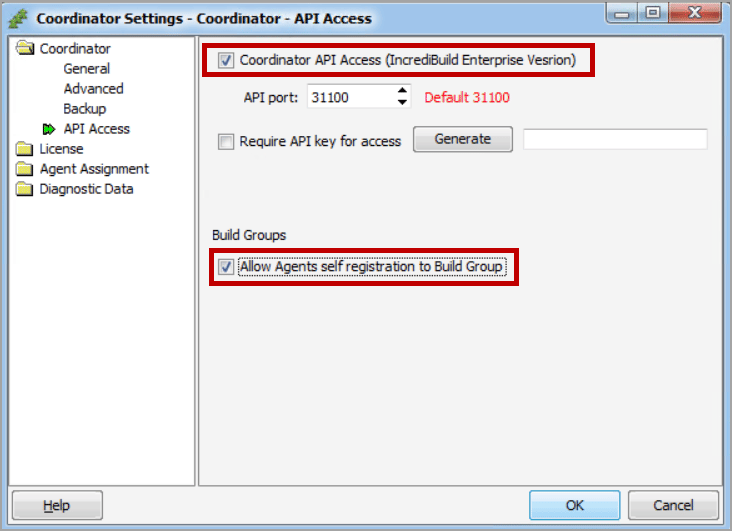
- ClickOK.
Assigning an Agent via the Silent Installer
Use the option:/Agent:Group={Group name}
If a{Group name}is not specified, or if a non-existent group name is provided, the Agent is assigned to theDefaultBuild Group.
To assign an Agent to a Build Group via the Automated Installer:
-
Use the command, adding the
{Group name}value:For example:
-
Use the following command, adding the
{Group name}value:
-
Use the command, adding the
{Group name}value:
Assigning an Agent via the Setup Wizard
To assign an Agent to a Build Group via the Setup wizard:- Double-click the Incredibuild Setup file to start the Agent installation.
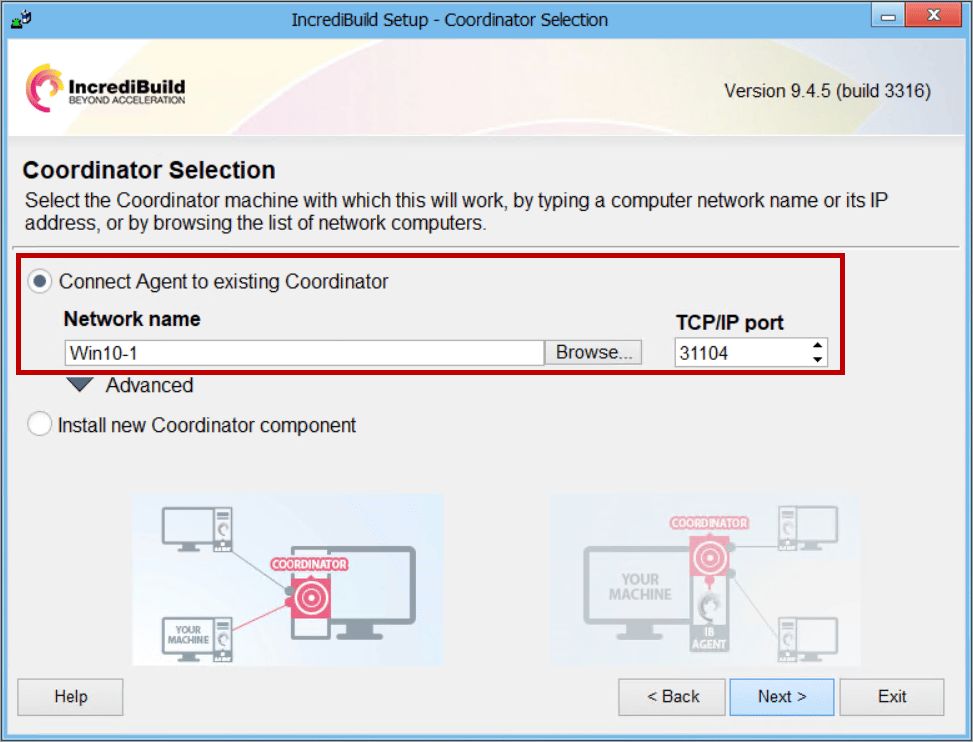
- Follow the Setup wizard instructions, and clickNextuntil you reach theCoordinator Selectionpage.
-
SelectConnect Agent to existing Coordinator, and in theNetwork namefield, enter the Coordinator IP address or hostname.
-
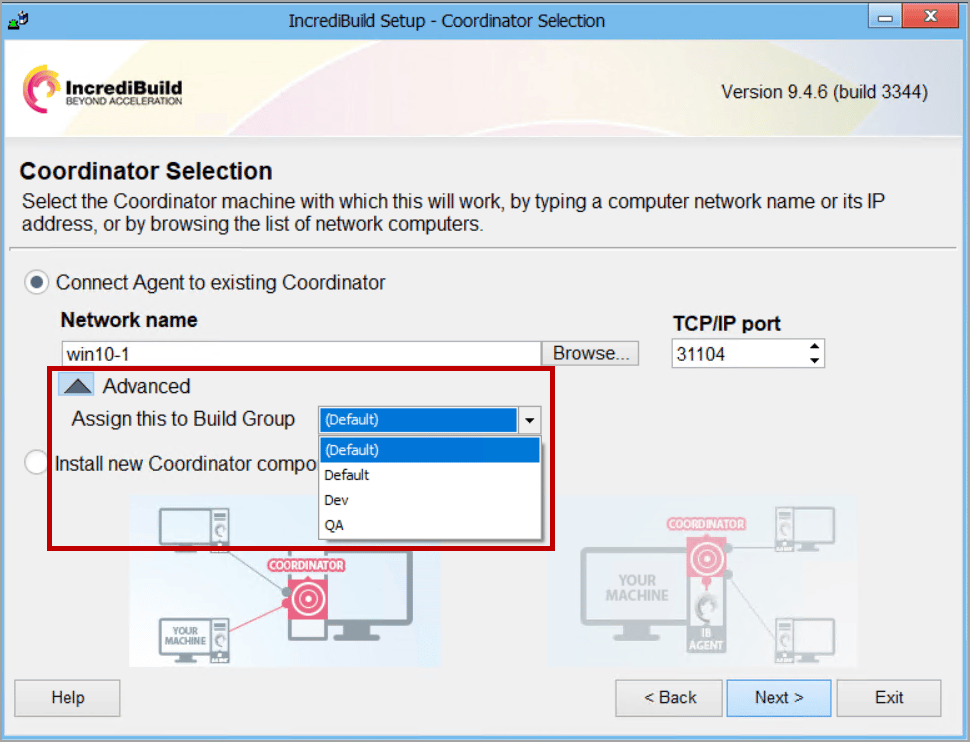
Click theAdvancedarrow and then, from theAssign this to Build Groupdropdown list, select the required Build Group.
- ClickNextand continue to follow the wizard instructions until you complete the Agent installation