

- Coordinator IP Address/Hostname – the IP address or hostname of the Coordinator.
- Coordinator UI Port – the port number you defined during installation. By default, this is 8000.
- Version - the version of our API. Currently there is only one version: 1.0.0.
-
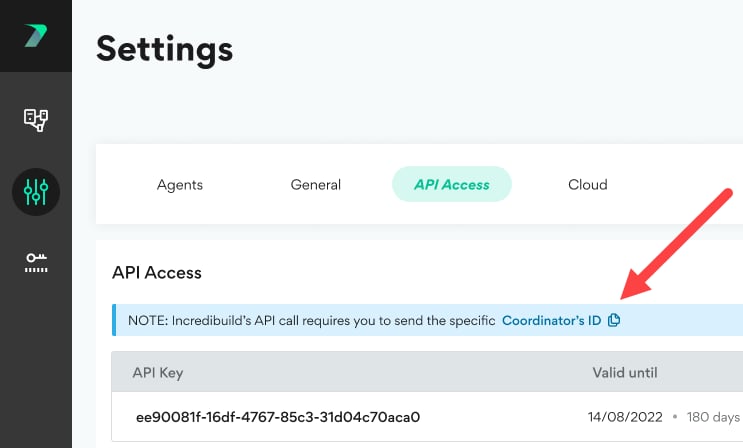
Coordinator ID - The ID assigned by Incredibuild to your Coordinator. You can view this in the Coordinator Manager > Settings > API Access area.
Get List of Build Groups
Get List of Build Groups
Returns a list of all Build Groups in a specific Coordinator.Request SyntaxExample request:Example ResponseCopy
Get Agents in Build Group
Get Agents in Build Group
Return a list of all the Agents in a specific Build Group.Request SyntaxExample Request:Example ResponseCopy
Get Agents Details
Get Agents Details
Returns the details of one or more Agents. For more information about what these agent details mean, see Viewing Agents.Request SyntaxExample Request:Example ResponseCopy
Assign Agents to Build Group
Assign Agents to Build Group
Clear All Agents from Build Group
Clear All Agents from Build Group
Unassign Agents from Build Group
Unassign Agents from Build Group
Removes the Agents you specify from whatever build groups they are assigned to. They are the reassigned to the Default Build Group.You cannot perform the Clear action, if one or more Agents in the specified Build Group are currently participating in a build or is offline. If an Agent is offline, the Clear action may appears to complete successfully, but the offline Agent remains in the original Build Group.Request SyntaxCopyExample Request:CopyExample Response:Copy